Your PrestaShop store can already be browsed on a phone. The real question is which format serves your customers best: a well-built responsive website, a PWA (a web app installed from the browser) or an app published on the App Store and Google Play. The right choice mostly depends on one thing: do your customers come back to buy often?
The three formats in one sentence
Responsive website: your website, adapting to the size of the screen. Nothing to install.
PWA (Progressive Web App): a website designed to be installed on the home screen from the browser, open full screen and work partly offline.
Mobile app: an iOS and Android app, downloaded from the App Store or Google Play.
What each format really offers
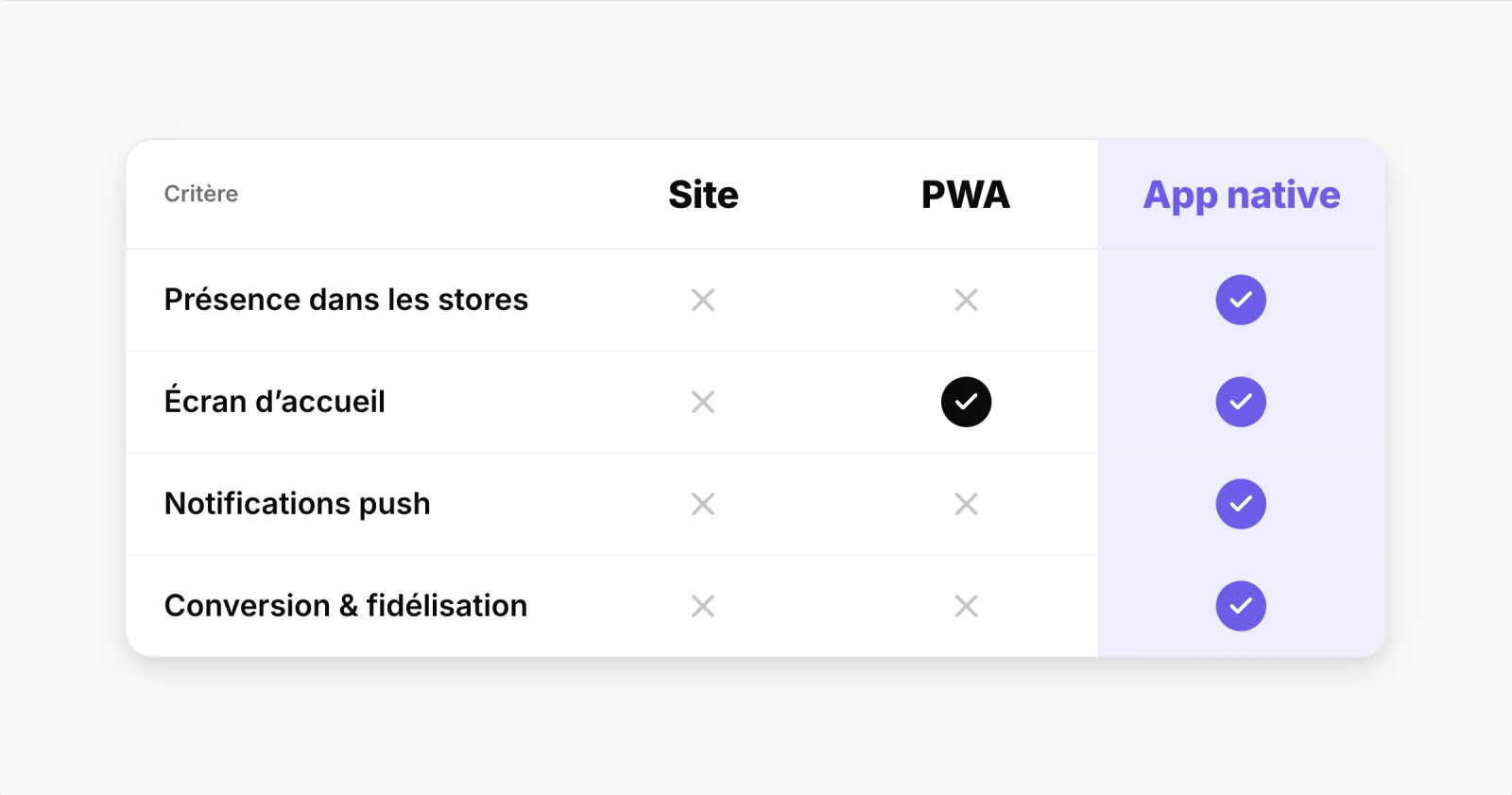
| Question | Responsive website | PWA | App |
|---|---|---|---|
| Access from Google or a link | Immediate | Immediate | The link opens the app if it is installed, otherwise the website |
| Home-screen icon | Shortcut possible, if the customer creates it | Installed from the browser | After downloading it from a store |
| Presence in the app stores | No | Usually not | Yes |
| Notifications | Web push, depending on the browser | Web push; on iPhone, only once added to the home screen (iOS 16.4 and later) | App notifications, once the customer allows them |
| Sign-in and basket | Depends on the browser session | Depends on the browser session | Customers stay signed in and find their basket again |
| Checkout | The website's checkout | The website's checkout | With Prestafy, a single page: address, delivery and payment |
| Set-up | Mobile optimisation of the website | Specific web development and maintenance | Custom build: a development project. With Prestafy: no code, publishing and updates handled for you |
The responsive website: the essential foundation
Most new customers arrive through it: Google search, social media, advertising, shared links. No other format replaces it for being discovered. Before thinking about a PWA or an app, check that your product pages read well on a phone, that delivery costs appear early and that payment is effortless.
Its limit is bringing customers back: to return, they have to find your website again, and you can only reach them by email or advertising.
The PWA: an installable web app
A PWA is installed from the browser, without going through a store. It can open full screen, keep some pages available offline and, under certain conditions, send notifications: on iPhone, Apple only allows them for web apps added to the home screen, since iOS 16.4.
Installing from a browser is still an unfamiliar step, especially on iPhone where it goes through the share menu, and a PWA does not appear where customers look for apps. It also requires specific web development, to be maintained as browsers evolve.
The app: direct access for returning customers
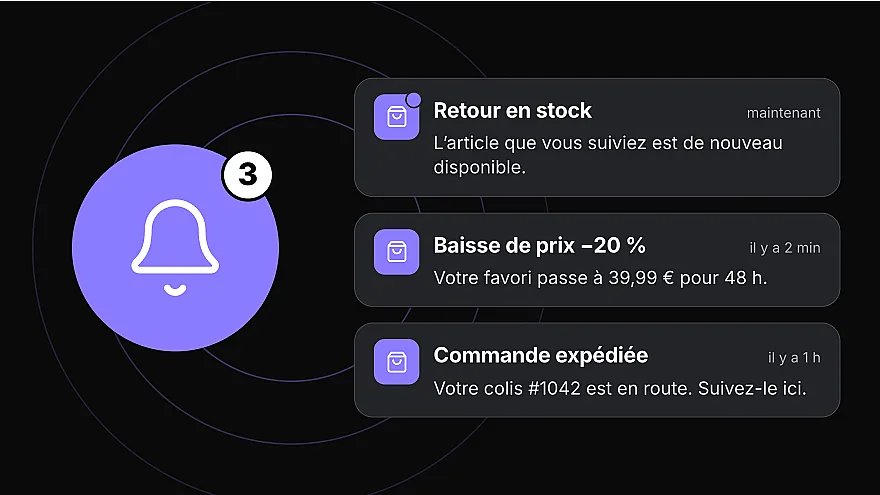
An app published on the App Store and Google Play puts your store on the customer's home screen. They stay signed in, find their basket again and can receive notifications if they accept them: order tracking, a product back in stock, a basket waiting.
It is also visible in the App Store and Google Play, where customers find it by searching for your brand. Publishing requires developer accounts and goes through store review (see how to publish on the App Store and Google Play); with a solution like Prestafy, building, publishing and updates are handled for you. To make it known, a banner on your mobile website and an invitation after each order bring your regular customers to the app.
How to choose
Some of your customers come back regularly (consumables, fashion, frequent new arrivals): an app gives them direct access and a notification channel. Your website keeps its role in acquisition.
Your customers rarely buy (one-off purchases, large baskets): invest first in your mobile website, its product pages and its checkout.
You want an installable experience without going through the stores, and you can maintain it: consider a PWA, after checking that its notifications cover your needs on iPhone.
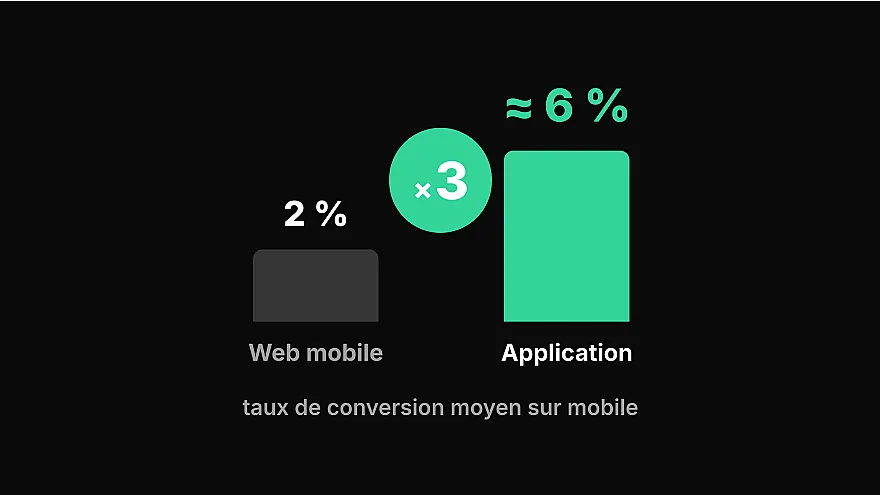
To measure what the app brings you, look at repeat purchases and how it is used over time, as well as the conversion rate. The method is explained in our article on comparing app and mobile website conversion rates.
What about cost?
Compare the total cost over several years, not just the cost of building it: development or subscription, developer accounts (99 USD a year for Apple, 25 USD once for Google), updates, and promoting the app to your customers. A custom build needs a project budget and then ongoing maintenance; a solution connected to your store works on a subscription.
With a PrestaShop store
Prestafy turns a PrestaShop store into an iOS and Android app, connected to its catalogue, prices, stock and orders. Your website remains your shop window for being found; the app gives your regular customers direct access to your store, your new arrivals and their order tracking. Design and preview your app for free, then choose a plan when you publish it. For notifications, see what push notifications do for an online store.